Animals & intake
Animal records
Every animal in Fosterling has its own record -- a single place for photos, medical history, behavior assessments, foster assignments, and adoption status. Here’s how to find, read, and update them.

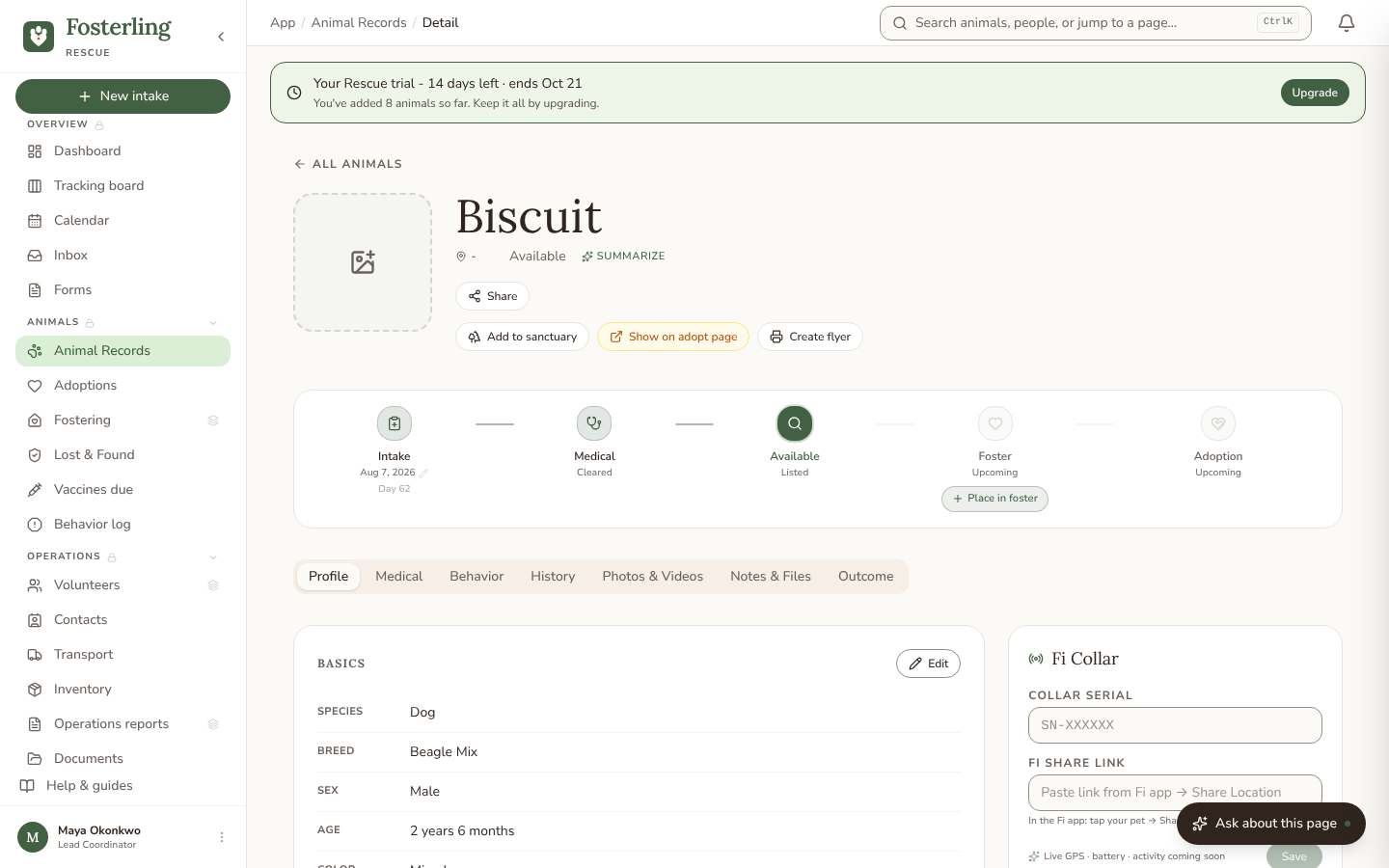
Finding an animal
Go to Animals in the left nav. By default you see all animals currently in your care. Use the filters at the top to narrow by:
- Status (in intake, foster, available, adopted, etc.)
- Species
- Foster home assignment
- Intake date range
You can also use the command palette (Cmd K on Mac, Ctrl K on Windows) to search by animal name or microchip number.
Animal record overview
An animal record is organized into tabs:
| Field | Type | Notes |
|---|---|---|
| Profile | tab | Bio, traits, adopter matches, and microchip. Edit by clicking the pencil icon. |
| Medical | tab | Vet visits, vaccinations, spay/neuter status, medications, and health notes. |
| Behavior | tab | Temperament assessments (compatibility, energy, training, adoption restrictions) and any behavior incidents logged for this animal. |
| History | tab | Activity & schedule -- upcoming and past events for this animal, like vet appointments, vaccines and medications due, foster check-ins, transports, and adoption follow-ups. |
| Photos & Videos | tab | Photos, videos, and attachments -- vet records, surrender forms, transport paperwork. The primary photo appears in the adopter gallery. |
| Notes & Files | tab | Vet record uploads, intake details and intelligence, network status, AI Fill attachments, and the adoption documents and forms tied to this animal. |
| Outcome | tab | Where you close out the animal's case -- adoption, transfer, or other outcome. |
Status lifecycle
An animal’s status reflects where it is in your pipeline. Statuses move forward automatically when you take actions (e.g. assigning a foster changes status to "In foster"), but you can also set status manually.
| Status | Meaning |
|---|---|
| Intake | Just arrived, intake form completed, record created. |
| Medical hold | Veterinary care in progress -- not yet available for placement. |
| Available | Ready to be matched with an adopter, or currently posted as needing one. |
| Needs foster | Available and specifically looking for a foster placement. |
| Fostered | Assigned to a foster home. |
| Application hold | An adoption application on this animal is in review. |
| Adopted | Adoption complete, contract signed. |
| Transferred | Moved to another rescue or shelter. |
| Sanctuary | Permanent resident, not available for adoption. |
| Deceased | Memorial record, excluded from active counts. |
Closing out a case records one specific outcome kind, not just a status: adopted, transferred, returned to owner, escaped/lost, other, or one of four ways of recording a death -- natural, or euthanized for medical, behavioral, or owner-requested reasons. For a death, you can optionally publish a public memorial page (a photo, a title, and a short tribute) at its own shareable link.
Adding medical records
Admins, coordinators, and vets can add medical records; volunteers can view the Medical tab’s entries (they need the care schedule) but can’t add to it or open attached vet-record documents. From an animal’s record:
- 1Click the Medical tab.
- 2Click Add record. Choose a type: Vet visit, Vaccination, Medication, or Note.
- 3Fill in the date, provider, and details. For vaccinations, enter the vaccine name and lot number if available.
- 4Click Save. The record appears in the timeline with a date stamp and the name of the team member who added it.
Uploading photos
Photos and videos live under the Photos & Videos tab.
- 1Open the animal’s record and click Photos & Videos.
- 2Click Upload photo and select one or more images. JPG or PNG, max 10 MB each.
- 3To set a photo as the primary (the one shown in search results and the adopter gallery), click the star icon on that photo.
Editing animal details
From the Profile tab, click the pencil icon in the top-right of the details card to edit name, species, breed, sex, age, color, weight, and spay/neuter status.
Behavior assessments and incidents
Open the Behavior tab and click New assessment to record a temperament assessment. Choose the type (Intake, Pre-adoption, Periodic, or Post-incident), then rate whether the animal is good with dogs, cats, kids, and strangers, and score energy, sociability, trainability, handling tolerance, resource guarding, and reactivity. You can also note house-, crate-, and leash-training, plus any adoption restrictions. Have an evaluation note already? Use AI Fill to pre-fill the form, then check it before you save.
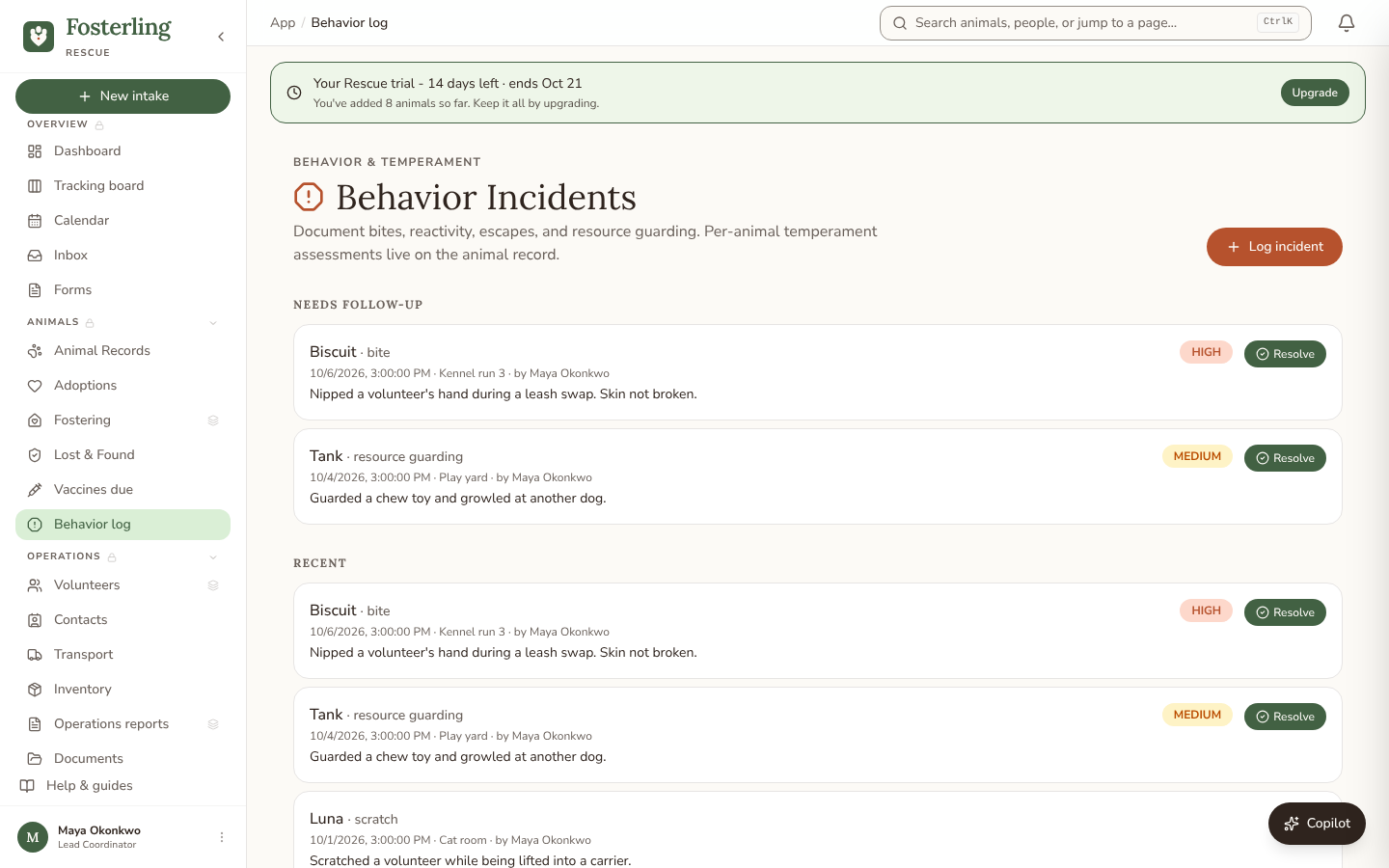
Bites, scratches, escapes, and other incidents are logged separately on the Behavior log page, so your team can follow up on them. See the section below.
Behavior log
Behavior log in the left nav is the org-wide list of behavior incidents. Click Log incident, pick the animal, and fill in the severity (Low, Medium, or High), the category (Bite, Scratch, Reactivity, Escape, Resource guarding, Fear, or Other), where it happened, who was involved, and what happened. Tick Requires follow-up to add the incident to the Needs follow-up list at the top of the page. When the follow-up is done, click Resolve and add resolution notes. Everything else sits under Recent.
Vaccines due
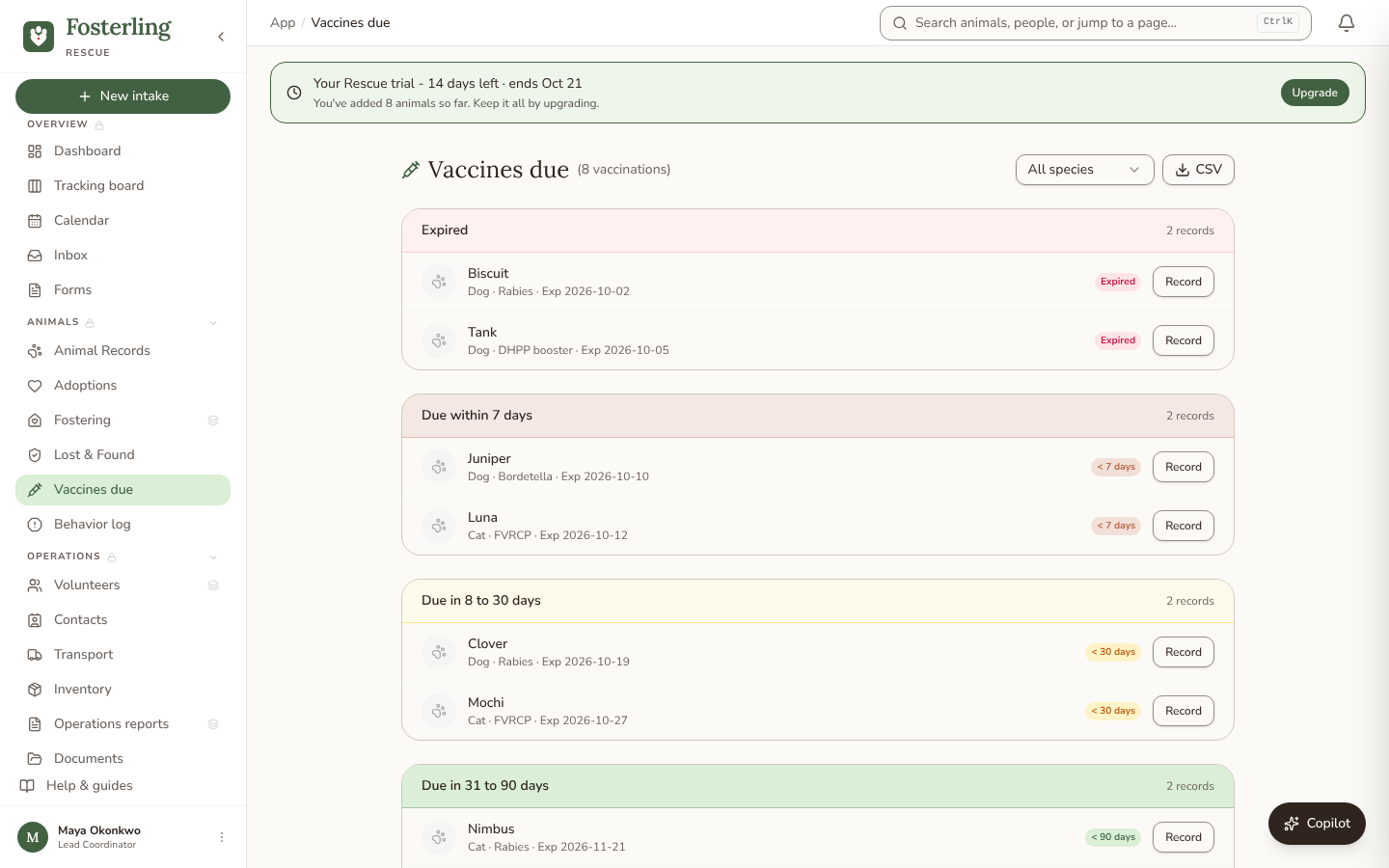
Vaccines due in the left nav lists every animal with a vaccine or booster coming due in the next 90 days, grouped by how urgent it is: Expired, Due within 7 days, Due in 8 to 30 days, and Due in 31 to 90 days. Filter by species, or click CSV to download the list. Click Record on a row once the shot is given: set the date it was given and the next due date, and the new vaccination lands on the animal’s Medical tab.
- Can volunteers see all animal records?
- Yes -- every team role, including volunteers, can view and edit every animal record in your org today. Deleting a record is the one action limited to Admins and Coordinators.
- How do I mark an animal as adopted?
- The Outcome tab itself is read-only -- it just shows the recorded outcome once there is one. To close out an adoption, drag the animal's card to Closed on the Tracking board (or use the move menu on its record) and record the adopted outcome there, or do it from the Operations Reports / Memorials hub.
- Can I bulk-import animals from a spreadsheet?
- Yes -- from Animals, click Import, choose Animals, then pick "A spreadsheet." It works on every plan: upload a CSV or Excel export from ShelterLuv, PetPoint, RescueGroups, or another AMS, and AI suggests how to match its columns to Fosterling's fields (name, species, breed, age, sex, color, description, animal ID) before anything saves. If the animals are already listed on a website instead, pick "Your adoption website" and paste the URL -- Fosterling scrapes them with photos and AI-filled details, but that path needs a Rescue plan or higher.
- I need to delete an animal record. Who can do that?
- Admins and Coordinators can delete records. Open the record, click the Settings menu (top right, three dots), and choose Delete. Deletions are permanent.
- Where do animals go after they're adopted? Can I still find them?
- Adopted animals stay in your system with a status of 'Adopted'. Filter by status 'Adopted' on the Animals page to find them, or search by name or microchip.